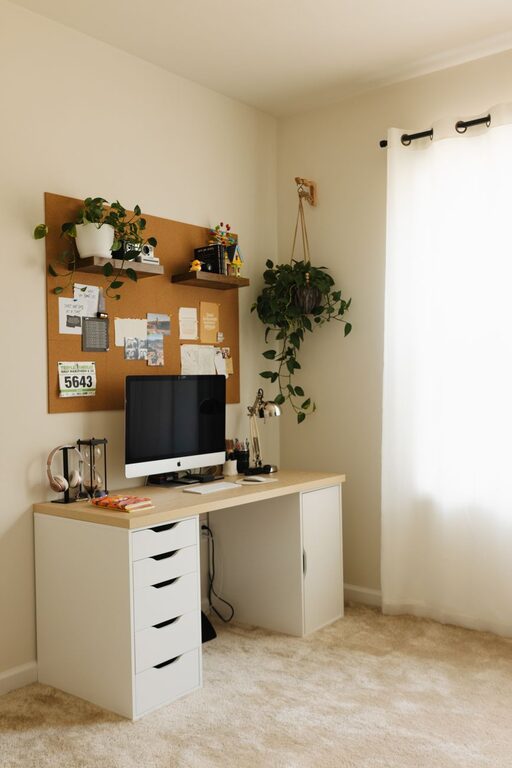
Creating a home office that is both cozy and productive can make a big difference in how you feel about your workday. Whether you work remotely full-time, freelance, or just need a quiet corner for occasional tasks, designing a space that suits your needs is essential. This guide will help you set up a home office that encourages concentration, supports comfort, and lifts your mood.
Why a Cozy and Productive Home Office Matters
Spending hours at a desk in a cluttered or uncomfortable space can affect your focus and energy. On the other hand, a thoughtfully arranged home office helps reduce distractions, promotes efficiency, and makes work feel less like a chore. Plus, when your workspace feels cozy, you’re more likely to enjoy being there and stay motivated.
Step 1: Choose the Right Spot
Selecting the best location for your home office is the foundation of a good setup.
– Natural light: Position your desk near a window if possible. Natural light boosts mood and reduces eye strain.
– Quiet environment: Find a space away from household noise or heavy foot traffic.
– Privacy: A dedicated room is ideal, but a quiet corner or nook can also work well.
Step 2: Invest in a Comfortable Desk and Chair
Ergonomics matter for both health and productivity.
– Desk: Select a desk that fits your work style and available space. Consider adjustable desks for flexibility.
– Chair: A supportive, adjustable chair prevents back pain and improves posture.
– Layout: Arrange your desk and chair so you can sit upright with feet flat on the floor and your screen at eye level.
Step 3: Organize for Efficiency
Clutter can drain your focus. Keeping your workspace organized helps streamline your day.
– Storage: Use shelves, drawers, or baskets to keep supplies tidy.
– Desk accessories: Incorporate pen holders, a document tray, and cable organizers.
– Digital order: Clean up your computer desktop and use folders to keep files organized.
Step 4: Personalise Your Space
Adding personal touches makes your office feel welcoming without distracting you.
– Colours: Choose calming colours like soft blues, greens, or neutrals.
– Decor: Display inspiring artwork, plants, or photographs.
– Lighting: Include a desk lamp with warm light for cozy evenings or gloomy days.
Step 5: Minimise Distractions
Maintain your focus by managing distractions in your environment.
– Noise control: Use noise-cancelling headphones or white noise machines if needed.
– Notifications: Silence non-essential alerts on your devices during work periods.
– Boundaries: Communicate your office hours to household members.
Step 6: Add Comfort Features
Comfort boosts productivity, so consider small additions that improve your experience.
– Footrest: Supports your legs and improves posture.
– Blanket or cushion: Adds warmth and coziness to your chair.
– Air quality: Keep a small fan or air purifier nearby for fresh air.
Step 7: Establish a Routine
Having a routine reinforces work habits and helps separate work from leisure time.
– Set working hours: Start and finish work at consistent times.
– Breaks: Take short breaks every hour to stretch and rest your eyes.
– Clean-up time: Spend a few minutes at the end of each day tidying your desk.
—
Creating a cozy and productive home office is about blending function with comfort. By choosing the right spot, investing in good furniture, keeping organized, and personalising your space, you can build an environment that supports your best work and well-being. Enjoy making your home office a place you look forward to spending time in every day!